
Deployment Guide
Deploy to Cloudflare with Alchemy, manage environments, and validate configuration.
| Tool | Purpose |
|---|---|
| Alchemy | Infrastructure-as-code for Cloudflare |
| Wrangler | Cloudflare CLI for dev/debug |
| Infisical | Secret storage, local env injection, and CI/runtime secret delivery |
| D1 | SQLite database at the edge |
| R2 | Object storage |
| KV | Key-value store |
Environment Configuration
Section titled “Environment Configuration”Use Environment and Secrets as the source guide for Infisical, Cloudflare Worker secrets, and deploy-time environment handling. Short version:
- commit
infisical.json, never commit.env,.env.local, or.dev.vars; - run local commands with
infisical run --env=dev -- pnpm dev; - deploy with
infisical run --env=staging -- pnpm deploy:stagingor from CI after fetching Infisical secrets; - sync only runtime secrets to Cloudflare Workers, and keep non-secret config in Alchemy/Wrangler
vars; - validate both Node-side deploy env and Worker
envbindings with Zod.
Env Validation with Zod
Section titled “Env Validation with Zod”Never trust raw process.env. Validate at startup.
import { z } from 'zod'
const envSchema = z.object({  NODE_ENV: z.enum(['development', 'production', 'test']).default('development'),  DATABASE_URL: z.string().min(1),  BETTER_AUTH_SECRET: z.string().min(32),  BETTER_AUTH_URL: z.string().url(),  GOOGLE_CLIENT_ID: z.string().optional(),  GOOGLE_CLIENT_SECRET: z.string().optional(),  GITHUB_CLIENT_ID: z.string().optional(),  GITHUB_CLIENT_SECRET: z.string().optional(),  CORS_ORIGIN: z.string().url().optional(),})
export type Env = z.infer<typeof envSchema>
export function validateEnv(): Env {  const result = envSchema.safeParse(process.env)
  if (!result.success) {    console.error('Invalid environment variables:')    console.error(result.error.flatten().fieldErrors)    throw new Error('Invalid environment configuration')  }
  return result.data}
Cloudflare Bindings Type
Section titled “Cloudflare Bindings Type”export interface CloudflareEnv { DB: D1Database KV: KVNamespace R2: R2Bucket BETTER_AUTH_SECRET: string BETTER_AUTH_URL: string GOOGLE_CLIENT_ID?: string GOOGLE_CLIENT_SECRET?: string}
declare global { interface Env extends CloudflareEnv {}}Runtime Env Access (Cloudflare Workers)
Section titled “Runtime Env Access (Cloudflare Workers)”// In Workers, env comes from request context, not process.envexport default { async fetch(request: Request, env: Env, ctx: ExecutionContext) { // env.DB, env.KV, etc. are available here const db = drizzle(env.DB) },}Cloudflare Hosting Default
Section titled “Cloudflare Hosting Default”For new Fenod projects, prefer Cloudflare Workers as the deployment surface, including Workers Static Assets for static/docs/content sites. Workers cover static assets, framework apps, APIs, bindings, and request routing in one model.
Use Cloudflare Pages when a docs/static project is already connected to GitHub and the Pages integration is the lowest-friction publishing path. This Fenod Stack Handbook can stay on Pages for that reason, but new app starters should target Workers first.
Default Path: Wrangler
Section titled “Default Path: Wrangler”For a typical SME app or site, use wrangler.jsonc and wrangler deploy. A one-Worker project with D1, KV, R2, static assets, and secrets does not need an IaC framework.
{ "$schema": "node_modules/wrangler/config-schema.json", "name": "my-app", "main": "./dist/worker.js", "compatibility_date": "2026-06-01", "assets": { "directory": "./dist/client", "binding": "ASSETS", "run_worker_first": ["/api/*", "/analytics/*"] }, "observability": { "enabled": true, "head_sampling_rate": 1 }, "d1_databases": [ { "binding": "DB", "database_name": "my-app-prod", "database_id": "<database-id>" } ], "vars": { "APP_ENV": "production" }}Deploy with explicit environment context:
infisical run --env=staging -- wrangler deploy --env staginginfisical run --env=prod -- wrangler deploy --env productionUse Wrangler environments for simple dev/staging/prod isolation. Keep secrets in Infisical, CI secret storage, or Worker secrets; keep only non-secret config in vars.
When to Use Alchemy
Section titled “When to Use Alchemy”A project uses Alchemy v2 instead of plain Wrangler when any of these hold:
- 4+ Cloudflare resources whose lifecycle must be created/updated/deleted together;
- 3+ isolated stages beyond what Wrangler environments handle cleanly;
- infra-level tests or OTel wiring as code;
- multiple Cloudflare accounts.
Everything else (typical SME site/app: one Worker, one D1, maybe one R2): Wrangler only.
Alchemy v2 Setup
Section titled “Alchemy v2 Setup”Alchemy v2 is an Effect-based rewrite and is currently in beta. For a client project, validate the current Alchemy version and docs at adoption time. Do not use old legacy-package examples or v1 phase/run initializer examples for new work. Install the current package:
pnpm add -D alchemy effectMinimal shape from the Alchemy v2 docs:
import * as Alchemy from 'alchemy'import * as Cloudflare from 'alchemy/Cloudflare'import * as Effect from 'effect/Effect'import Worker from './src/worker'
export default Alchemy.Stack( 'MyApp', { providers: Cloudflare.providers(), state: Cloudflare.state(), }, Effect.gen(function* () { const worker = yield* Worker return { url: worker.url } }),)import * as Cloudflare from 'alchemy/Cloudflare'import * as Effect from 'effect/Effect'import * as HttpServerResponse from 'effect/unstable/http/HttpServerResponse'
export default Cloudflare.Worker( 'Worker', { main: import.meta.filename }, Effect.gen(function* () { return { fetch: Effect.gen(function* () { return HttpServerResponse.text('Hello, world!') }), } }),)For local Alchemy credentials, use alchemy login; Alchemy stores profiles in ~/.alchemy/profiles.json. Do not export CLOUDFLARE_API_TOKEN for local Alchemy work.
Deploy only after the normal quality gate:
pnpm checkpnpm exec alchemy deployDestroy resources only from an explicitly approved session:
pnpm exec alchemy destroyWrangler Commands
Section titled “Wrangler Commands”Development
Section titled “Development”# Start local dev serverwrangler dev
# Dev with remote D1 (useful for testing with real data)wrangler dev --remote
# Dev with local D1wrangler dev --localDatabase (D1)
Section titled “Database (D1)”# List databaseswrangler d1 list
# Create databasewrangler d1 create my-db
# Run SQL locallywrangler d1 execute my-db --local --command "SELECT * FROM users LIMIT 5"
# Run SQL on remotewrangler d1 execute my-db --remote --command "SELECT * FROM users LIMIT 5"
# Apply migration locallywrangler d1 execute my-db --local --file ./db/migrations/0001_init.sql
# Apply migration to productionwrangler d1 execute my-db --remote --file ./db/migrations/0001_init.sql
# Export databasewrangler d1 export my-db --output backup.sql
# Import databasewrangler d1 execute my-db --file backup.sql# List namespaceswrangler kv namespace list
# Create namespacewrangler kv namespace create my-kv
# Get valuewrangler kv key get --namespace-id <id> "my-key"
# Put valuewrangler kv key put --namespace-id <id> "my-key" "my-value"
# Delete valuewrangler kv key delete --namespace-id <id> "my-key"
# List keyswrangler kv key list --namespace-id <id># List bucketswrangler r2 bucket list
# Create bucketwrangler r2 bucket create my-bucket
# Upload filewrangler r2 object put my-bucket/path/file.txt --file ./local-file.txt
# Download filewrangler r2 object get my-bucket/path/file.txt --file ./downloaded.txt
# Delete objectwrangler r2 object delete my-bucket/path/file.txtLogs & Debugging
Section titled “Logs & Debugging”# Stream live logswrangler tail
# Filter by statuswrangler tail --status error
# Filter by search termwrangler tail --search "userId"
# JSON outputwrangler tail --format json
# Specific workerwrangler tail my-worker-nameDeployment
Section titled “Deployment”# Deploy workerwrangler deploy
# Deploy to specific environmentwrangler deploy --env production
# Dry run (see what would deploy)wrangler deploy --dry-run
# Check current deploymentwrangler deployments listDrizzle Migrations
Section titled “Drizzle Migrations”Configuration
Section titled “Configuration”import { defineConfig } from 'drizzle-kit'
export default defineConfig({ schema: './packages/db/src/schema/*.ts', out: './packages/db/migrations', dialect: 'sqlite', driver: 'd1-http', dbCredentials: { accountId: process.env.CLOUDFLARE_ACCOUNT_ID!, databaseId: process.env.CLOUDFLARE_D1_DATABASE_ID!, token: process.env.CLOUDFLARE_API_TOKEN!, },})Commands
Section titled “Commands”# Generate migration from schema changespnpm drizzle-kit generate
# Push schema directly (dev only, no migration file)pnpm drizzle-kit push
# Open Drizzle Studiopnpm drizzle-kit studio
# Drop all and regenerate (dev only!)pnpm drizzle-kit dropMigration Workflow
Section titled “Migration Workflow”# 1. Make schema changes in packages/db/src/schema/*.ts
# 2. Generate migrationpnpm drizzle-kit generate
# 3. Review generated SQL in packages/db/migrations/
# 4. Apply to local D1wrangler d1 execute my-db --local --file ./packages/db/migrations/0002_new_feature.sql
# 5. Test locally
# 6. Apply to production D1wrangler d1 execute my-db --remote --file ./packages/db/migrations/0002_new_feature.sqlWrangler Configuration
Section titled “Wrangler Configuration”wrangler.jsonc (Recommended)
Section titled “wrangler.jsonc (Recommended)”{ "$schema": "./node_modules/wrangler/config-schema.json", "name": "my-app-api", "main": "src/index.ts", "compatibility_date": "2025-01-01", "compatibility_flags": ["nodejs_compat_v2"],
// Smart Placement: auto-locate compute near data sources "placement": { "mode": "smart" },
// Observability (10% sampling) "observability": { "enabled": true, "head_sampling_rate": 0.1 },
// Environment variables "vars": { "BETTER_AUTH_URL": "http://localhost:8787" },
// D1 Database "d1_databases": [ { "binding": "DB", "database_name": "my-db", "database_id": "xxxxxxxx-xxxx-xxxx-xxxx-xxxxxxxxxxxx" } ],
// KV Namespace "kv_namespaces": [ { "binding": "KV", "id": "xxxxxxxx-xxxx-xxxx-xxxx-xxxxxxxxxxxx" } ],
// R2 Bucket "r2_buckets": [ { "binding": "R2", "bucket_name": "my-uploads" } ],
// Queues "queues": { "producers": [{ "binding": "MY_QUEUE", "queue": "my-queue" }] },
// Vectorize "vectorize": [ { "binding": "VECTORIZE", "index_name": "doc-search" } ],
// Workers AI "ai": { "binding": "AI" },
// Workflows "workflows": [ { "name": "user-lifecycle", "binding": "USER_WORKFLOW", "class_name": "UserLifecycleWorkflow" } ],
// Durable Objects (for Agents SDK) "durable_objects": { "bindings": [ { "name": "CHAT_AGENT", "class_name": "ChatAgent" } ] },
// Cron Triggers "triggers": { "crons": ["0 */6 * * *"] },
// Environment overrides "env": { "production": { "vars": { "BETTER_AUTH_URL": "https://api.myapp.com" }, "routes": [{ "pattern": "api.myapp.com", "custom_domain": true }], "d1_databases": [ { "binding": "DB", "database_name": "prod-db", "database_id": "yyyyyyyy-yyyy-yyyy-yyyy-yyyyyyyyyyyy" } ] } }}Key Configuration Options
Section titled “Key Configuration Options”| Option | Purpose |
|---|---|
compatibility_date | Use current date for new projects |
compatibility_flags | nodejs_compat_v2 enables Node.js built-ins |
placement.mode: "smart" | Auto-locate compute near data sources |
observability | Enable tracing with configurable sampling |
For Workers, Dynamic Workers, and Containers, see the Cloudflare Compute decision matrix.
Legacy wrangler.toml
Section titled “Legacy wrangler.toml”Click to expand wrangler.toml format
name = "my-app-api"main = "src/index.ts"compatibility_date = "2025-01-01"compatibility_flags = ["nodejs_compat_v2"]
[placement]mode = "smart"
[vars]BETTER_AUTH_URL = "http://localhost:8787"
[[d1_databases]]binding = "DB"database_name = "dev-db"database_id = "xxxxxxxx-xxxx-xxxx-xxxx-xxxxxxxxxxxx"
[[kv_namespaces]]binding = "KV"id = "xxxxxxxx-xxxx-xxxx-xxxx-xxxxxxxxxxxx"
[[r2_buckets]]binding = "R2"bucket_name = "dev-uploads"
[env.production]vars = { BETTER_AUTH_URL = "https://api.myapp.com" }
[[env.production.d1_databases]]binding = "DB"database_name = "prod-db"database_id = "yyyyyyyy-yyyy-yyyy-yyyy-yyyyyyyyyyyy"
CI/CD Pipeline
Section titled “CI/CD Pipeline”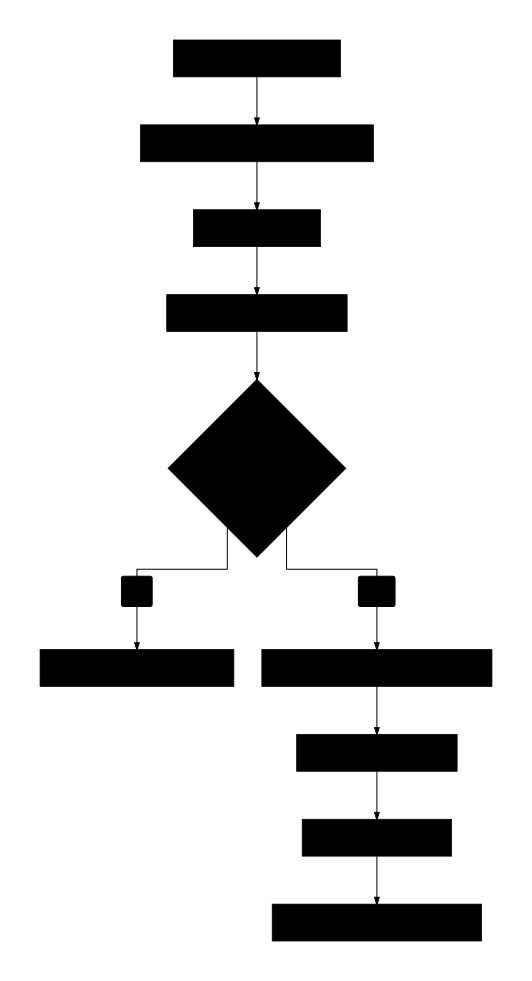
GitHub Actions
Section titled “GitHub Actions”name: Deploy
on: push: branches: [main]
env: CLOUDFLARE_API_TOKEN: ${{ secrets.CLOUDFLARE_API_TOKEN }} CLOUDFLARE_ACCOUNT_ID: ${{ secrets.CLOUDFLARE_ACCOUNT_ID }}
jobs: test: runs-on: ubuntu-latest steps: - uses: actions/checkout@v4 - uses: pnpm/action-setup@v2 with: version: 9 - uses: actions/setup-node@v4 with: node-version: 20 cache: 'pnpm' - run: pnpm install - run: pnpm test:run - run: pnpm build
deploy: needs: test runs-on: ubuntu-latest steps: - uses: actions/checkout@v4 - uses: pnpm/action-setup@v2 with: version: 9 - uses: actions/setup-node@v4 with: node-version: 20 cache: 'pnpm' - run: pnpm install - run: pnpm build
# Option A: Wrangler - name: Deploy with Wrangler run: wrangler deploy --env production
# Option B: Alchemy - name: Deploy with Alchemy run: ALCHEMY_PHASE=production pnpm alchemy deployPreview Deployments
Section titled “Preview Deployments”name: Preview
on: pull_request: branches: [main]
jobs: preview: runs-on: ubuntu-latest steps: - uses: actions/checkout@v4 - uses: pnpm/action-setup@v2 - uses: actions/setup-node@v4 with: node-version: 20 cache: 'pnpm' - run: pnpm install - run: pnpm build
- name: Deploy Preview id: deploy run: | OUTPUT=$(wrangler pages deploy ./dist --project-name my-app --branch ${{ github.head_ref }}) echo "url=$(echo $OUTPUT | grep -oP 'https://[^\s]+')" >> $GITHUB_OUTPUT env: CLOUDFLARE_API_TOKEN: ${{ secrets.CLOUDFLARE_API_TOKEN }}
- name: Comment PR uses: actions/github-script@v7 with: script: | github.rest.issues.createComment({ issue_number: context.issue.number, owner: context.repo.owner, repo: context.repo.repo, body: `Preview deployed to: ${{ steps.deploy.outputs.url }}` })Production Checklist
Section titled “Production Checklist”Pre-Deploy
Section titled “Pre-Deploy”- All tests passing
- React Doctor passes for the branch diff
- Environment variables validated with Zod
- Infisical environment selected (
dev,staging, orprod) - Runtime secrets synced to Cloudflare Workers or injected during Alchemy deploy
- Observability enabled and error alert configured (see /observability/)
- Database migrations applied
- Build succeeds locally
Deploy
Section titled “Deploy”- Deploy to staging first
- Verify staging works
- Deploy to production
- Check wrangler tail for errors
Post-Deploy
Section titled “Post-Deploy”- Verify all routes work
- Check auth flows
- Monitor error rates
- Check performance metrics
- Verify database connections
Rollback Plan
Section titled “Rollback Plan”# List recent deploymentswrangler deployments list
# Rollback to previous versionwrangler rollback
# Rollback to specific versionwrangler rollback --version <version-id>Troubleshooting
Section titled “Troubleshooting”Common Issues
Section titled “Common Issues”“Binding not found”
- Check wrangler.toml bindings match code
- Ensure correct environment is deployed
“D1 connection failed”
- Verify database_id in wrangler.toml
- Check database exists:
wrangler d1 list
“Secret not set”
- Preferred: sync the secret from Infisical to the target Cloudflare Worker/environment
- Deploy-time fallback:
infisical run --env=staging -- pnpm deploy:staging - Manual fallback:
wrangler secret put SECRET_NAME - Verify:
wrangler secret list
“Migration failed”
- Check SQL syntax in migration file
- Test locally first with
--localflag
Debug Commands
Section titled “Debug Commands”# Check what's deployedwrangler deployments list
# Check bindingswrangler whoami
# Test locally with remote datawrangler dev --remote
# Stream errors onlywrangler tail --status error